
mqgy
3 months ago
beans
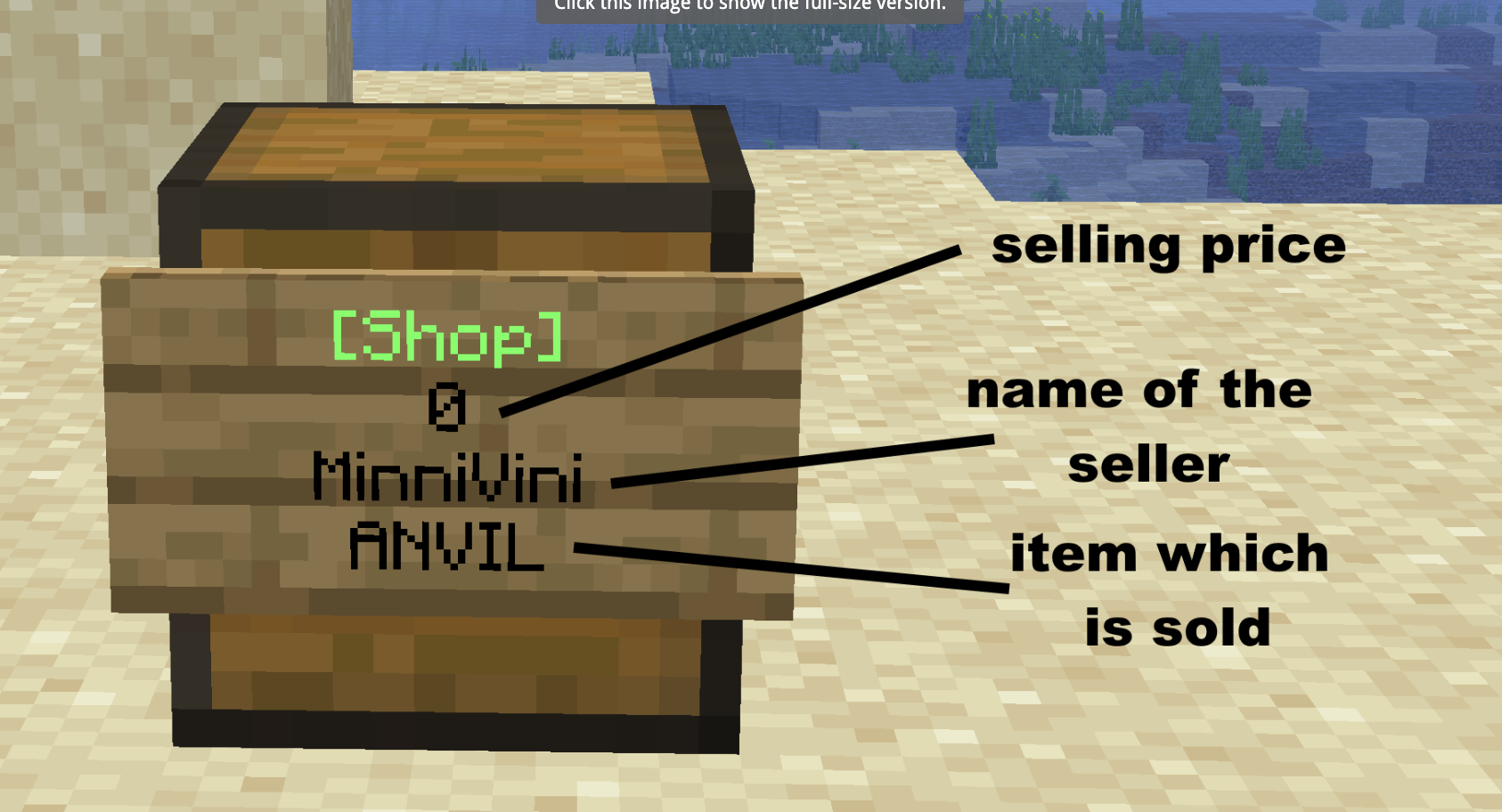
Chestshops
To set up a chestshop place a sign on a chest, filling in [Shop] on line 1 and the price on line 2. Adding a B after the price will make it so other players can sell to you. Your IGN will automatically fill in, and to set the item you are buying/selling simply right-click the chest with it. If you want to sell more than 1 item you can write the number of items you want to buy/sell on line 4 then click the sign with the item.
/sethome
Set a home at your current location.
/home
Teleport to one of your homes.
/spawn
Return to the server spawn.
/rtp
Teleport to a random location in the world.
/jobs
Open the Jobs menu and browse available jobs.
/jobs join <job>
Join a job of your choice.
/jobs leave <job>
Leave one of your current jobs.
/jobs rewards <job>
View and claim your available level rewards.
/claim
Claim the chunk you are currently standing in.
/unclaim
Unclaim the chunk you are currently standing in.
/claim list
View and manage all of your claims.
/claim add <claim> <IGN>
Trust a player in your claim
/claim addchunk
Add the chunk you are standing in to your claim.
/claim autoaddchunk/autodelchunk <claim name>
Moving to new chunks will claim or unclaim them, it will add to the claim you name. Running /claim autoaddchunk/autodelchunk will remove this.
/claim ban/unban <claim name> IGN
Ban or unban a player from your claim.
/claim bans
View and manage all of your claim bans.
/claim tp
Teleport to your claim
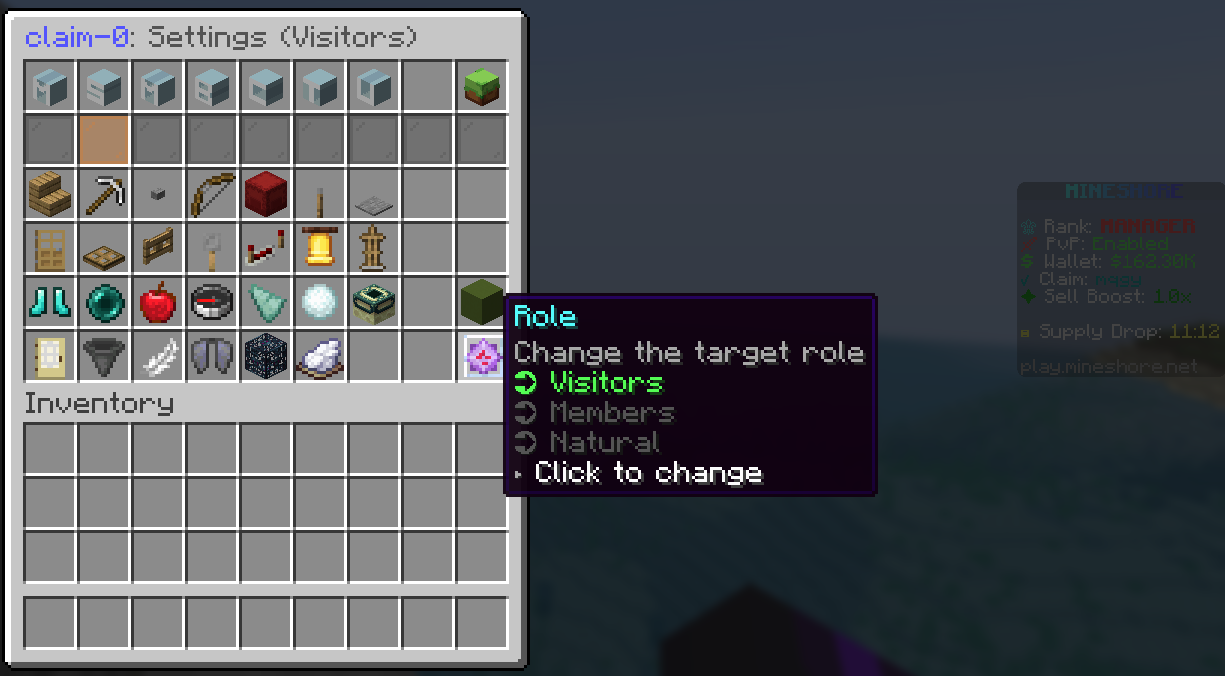
/claim settings
All of the above commands can be used here. You can also edit individual permissions for visitors and members, the natural role is where you can edit the environment for your claim. Additionally, replacing the claim name with * let's you run the commands on all your claims.
/work
Open the Work menu to browse available work and earn extra money.
/shop
Open the server shop.
/balance
View your current balance.
/pay <player> <amount>
Send money to another player.
/boosts
View your active sell boosts.
/tokenshop
Spend your earned Tokens on exclusive rewards.
/pw
Browse Player Warps.
/warp
View and teleport to available server warps.
/ah
Open the Auction House to buy and sell items with other players.
Creator Rank Requirements
The Mineshore Creator Rank is earned by posting Mineshore content. Once earned, you can keep the rank by consistently uploading Mineshore content.
|
Record a Clip |
→ |
Post it Publicly |
→ |
Submit in Discord |
→ |
Get Reviewed |
→ |
Creator Rank! |
All content must be submitted through our Discord. To send in a submission for review go to the #create-a-ticket channel, and fill out the creator media submission form with your link. Most submissions are reviewed within 48 hours, you'll get a DM either way letting you know if you have qualified for the rank.
To ensure consistency and quality we have some standards outlining what content qualifies. Whilst engagement is important, we also want to encourage content that positively represents the server. Depending on the type of content you create, the requirements vary:
|
Requirement |
What We Need |
|---|---|
|
Length |
15–60 seconds |
|
Resolution |
720p minimum, 1080p preferred |
|
Editing |
At least basic cuts/captions, raw screen recordings won't qualify |
|
Branding |
Mineshore or play.mineshore.net shown or said somewhere |
|
Audio |
Clear, no drowned-out commentary |
|
Requirement |
What We Need |
|---|---|
|
Length |
30–60 seconds |
|
Content |
A genuinely notable moment. Random clips without context will not qualify |
|
Editing |
Raw clips are fine here |
|
Branding |
Stream title/overlay should show Mineshore |
|
Requirement |
What We Need |
|---|---|
|
Length |
8+ minutes |
|
Resolution |
1080p minimum |
|
Editing |
Real editing is required. The video should include an intro/outro, cuts and good pacing. No raw 45-minute VOD dumps |
|
Branding |
Mineshore shown or mentioned clearly, IP visible at some point |
|
Audio |
Clear commentary or music, properly balanced |
The thresholds below are what will qualify you for Creator Rank to begin with. These thresholds may be adjusted over time, both to reflect the platform trends and the growth of the Mineshore community. Clips must meet both the quality and engagement requirements, so your content must be high quality but also still needs to actually perform:
|
Platform |
To Earn Creator Rank |
|---|---|
|
TikTok |
5,000+ views OR 500+ likes |
|
YouTube Shorts |
5,000+ views OR 500+ likes |
|
Instagram Reels |
3,000+ views OR 300+ likes |
|
Kick Clip |
1,000+ clip views |
|
Twitch Clip |
1,000+ clip views |
|
YouTube (Full Video) |
1,000+ views OR 100+ likes |
|
Didn't quite hit the required number yet? Don’t worry, quality submissions that are close to the threshold can still get approved. Don’t hesitate to submit content, even if you haven't quite hit the requirement. This can still be approved at staff discretion if the content is genuinely great, views aren't everything. |
Once you have Creator Rank, the view/like goals above no longer apply to every post. As a creator it's about staying consistent, not going viral every time. You do not need every post to hit the required threshold. To maintain your rank, hit ONE of the following:
|
Option |
|---|
|
1–2 qualifying short-form clips (TikTok / Shorts / Reels) per week |
|
1 qualifying long-form video every 2 weeks |
Failure to do so will not lead to an instant removal from the rank. We will let you know before your rank is removed, and you will be given time to address the issue before any action is taken.
The Creator Rank is a purely cosmetic and quality-of-life rank. You will not be given any gameplay advantage.
|
Perk |
Details |
|---|---|
|
In-game tag |
[Creator] prefix, custom tag and exclusive chat colour |
|
Cosmetics |
Exclusive particle trail, hat, emotes & pet skin, these can't be bought |
|
Quality of life |
Captain rank permissions |
|
Discord |
Creator role + access to private creator channels & voice lounge |
|
Community |
Creator-only giveaways and early sneak peeks |
|
Event Host |
Ability to host events on the server and start chatgames using /chatgame start. |
Once you have received the Creator rank you will be given a unique referral code that you may share with your audience. If a new player runs the command /referral <your code>, both you and the new player will receive a reward. The reward is a key to a Creator crate, this may change in the future.
|
Ready to start, or was something unclear? Post your first clip, submit the link in #create-a-ticket, and our team will review it as soon as possible. If you have any questions please create a ticket in the Discord. |
We are almost ready to release the server, what is one thing you cannot live without? Let us know!